 or descending
  order.
This screen is used to edit a list of training locations. The training locations are used when scheduling courses by selecting Training/Course Schedule.
NOTE: Clicking the mouse on most of the column headings will allow the user to sort that column by ascending or descending order.
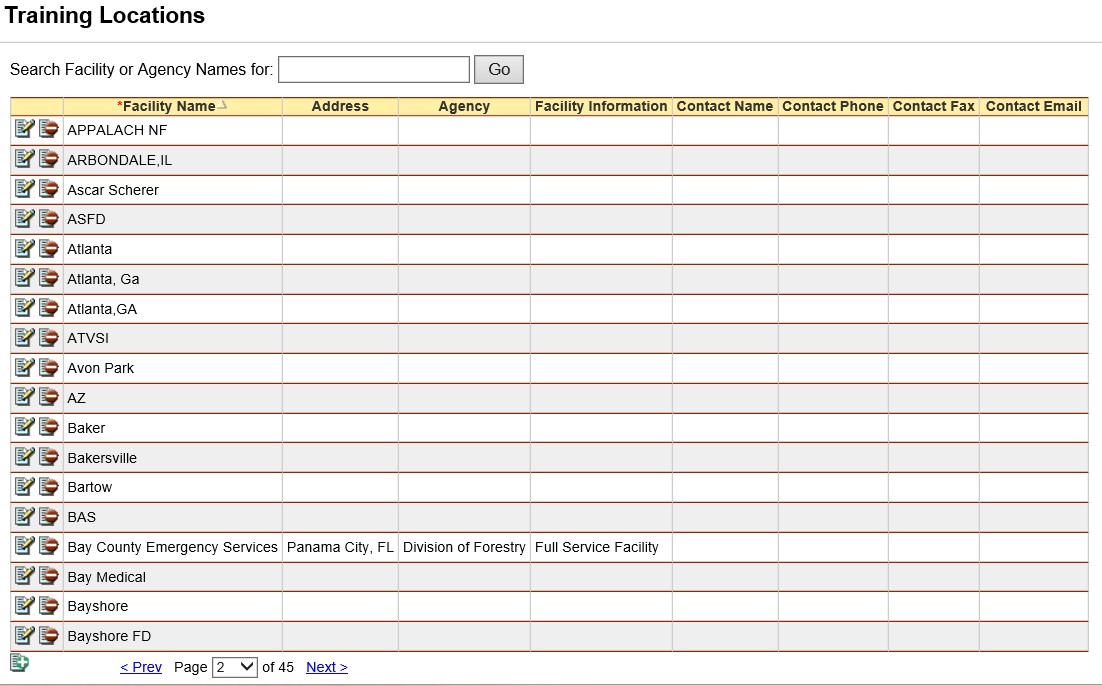
(*required)
|
FIELD |
DEFINITION |
DESCRIPTION |
|
*Facility Name |
(Char, 50) |
Name of training location. |
|
Address |
(Char, 50) |
Address of the facility. |
|
Agency |
(Char, 50) |
Name of agency sponsoring location. (Drop-down list) |
|
Facility Information |
(Char, 225) |
Any pertinent information about training facility. |
|
Contact Name |
(Char, 50) |
Contact person at training facility. |
|
Contact Phone |
(Char, 25) |
Phone number for facility contact. |
|
Contact Fax |
(Char, 25) |
Fax number for facility contact. |
|
Contact Email |
(Char, 50) |
Electronic mail address for facility contact. |